Internal dashboards for business teams
Internal dashboards packed with numbers nobody used. I redesigned them around the questions teams actually needed to answer — and turned them into daily operational tools.
Dashboards That Serve No Purpose
We've all seen those internal dashboards packed with numbers, blinking charts, colors everywhere — and ultimately, nobody really uses them. That was exactly the situation here.
- Business teams had access to tons of data
- But they couldn't read it or interpret it easily
- Let alone use it to make decisions
- Result: dashboards gathering dust, decisions made on gut feel
Data UX Mode
I started by talking to business teams. Not to ask "what do you want?" — but to understand what questions they ask themselves daily, what decisions they need to make, and how they actually use (or don't use) current dashboards. Spoiler: they didn't want more data. They wanted clear answers.
I sorted through the data landscape: what are the truly key indicators? What needs to be visible first? What can live at a second level? The goal was to avoid information overload — because an overloaded dashboard is a useless dashboard. Less data, more insight.
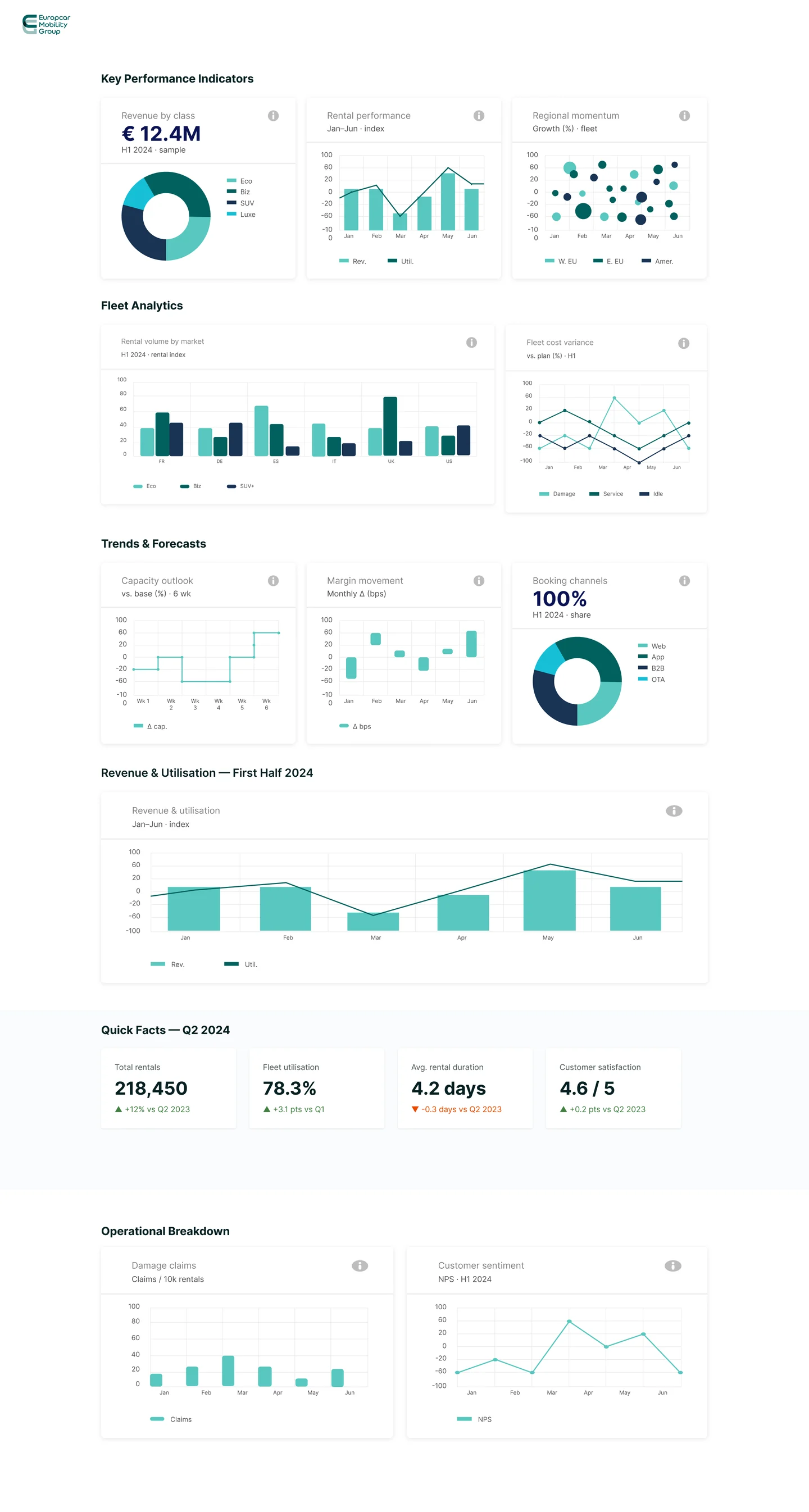
I designed dashboards that don't just show numbers — they enable quick understanding (5 seconds to grasp the essential), guide toward action (if this number is red, here's what to do), and adapt to different business profiles. Data as decision support, not data for its own sake.
Beautiful mockups are great, but if they're not technically feasible, they're worthless. I worked hand-in-hand with product and tech teams to verify visualization feasibility, understand data constraints, and find smart compromises that served users without creating impossible engineering challenges.
I didn't just ship and move on. Multiple iteration cycles with business teams, adjustments based on real feedback, and continuous improvement of relevance. Each iteration made the dashboards a little more useful — and a little more used.
One Visual Language for Data
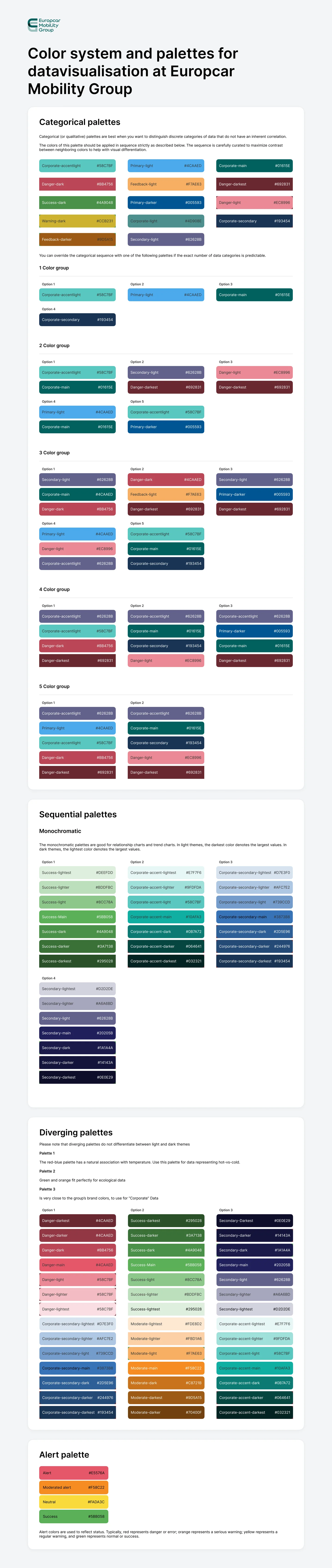
A colour system built for data visualisation, and a kit of chart components that uses it. Every dashboard draws from the same palettes and the same building blocks.
The One That Actually Works
- Readable at a glance
- Adopted by business teams
- Used daily to drive operations
- Adapted to each profile
- Faster decision-making
- Fewer meetings to "understand the numbers"
- More team autonomy
- Teams finally have tools they use
- Requests for more dashboards using the same approach
- Design approach replicated in other tools